DASHBOARD OVERVIEW
Start with the reporting view, then inspect the action.
The overview summarizes the available channel and campaign context. The Customer Actions table is the action-level workspace. Use the visible search and filters to narrow the view; clear those controls when a known action is not visible.
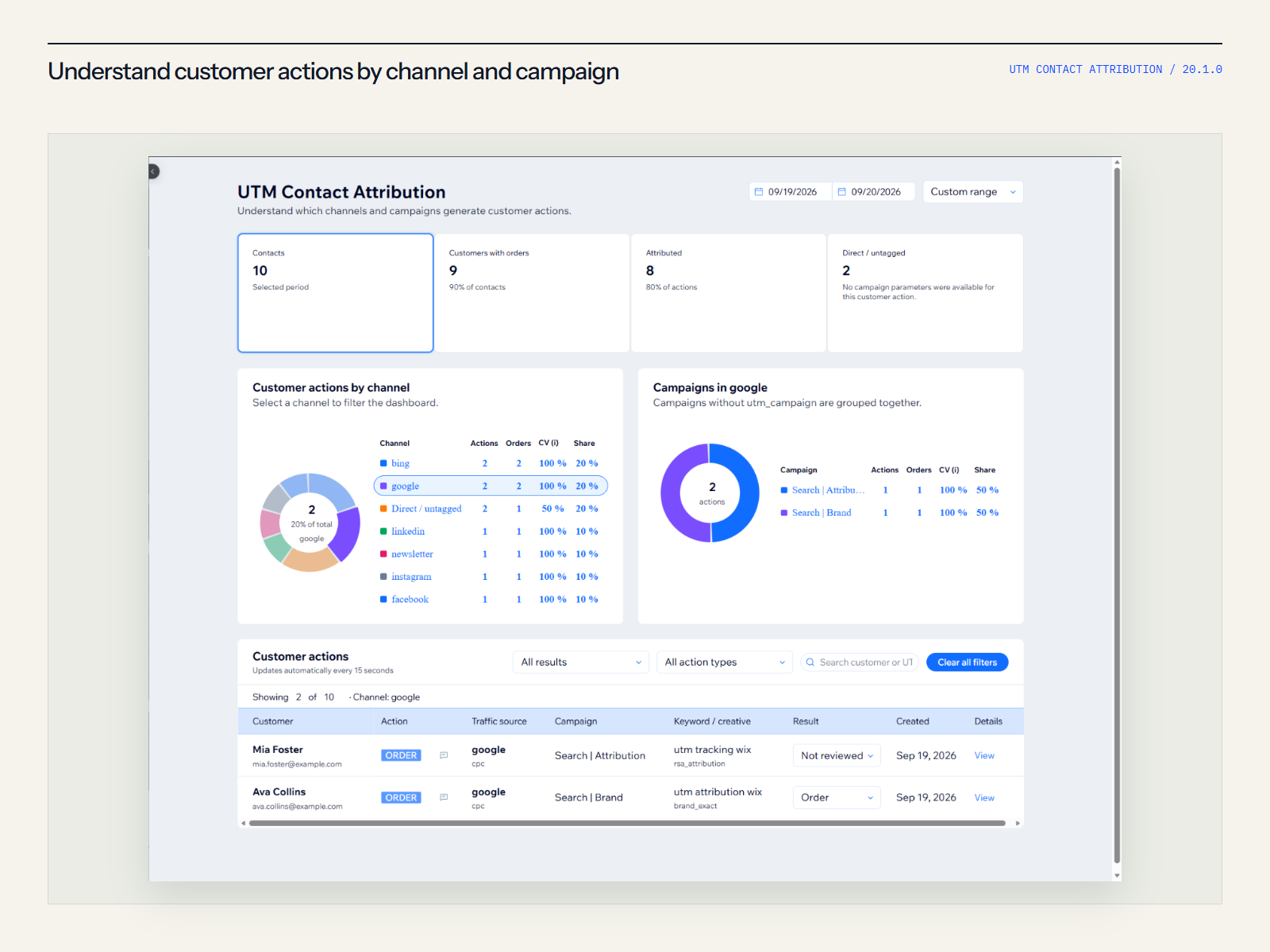
A chart total and a Customer Action answer different questions. Aggregate channel reporting does not replace the attribution stored with an individual action.
CUSTOMER ACTIONS + RESULT
Read each row as a separate supported action.
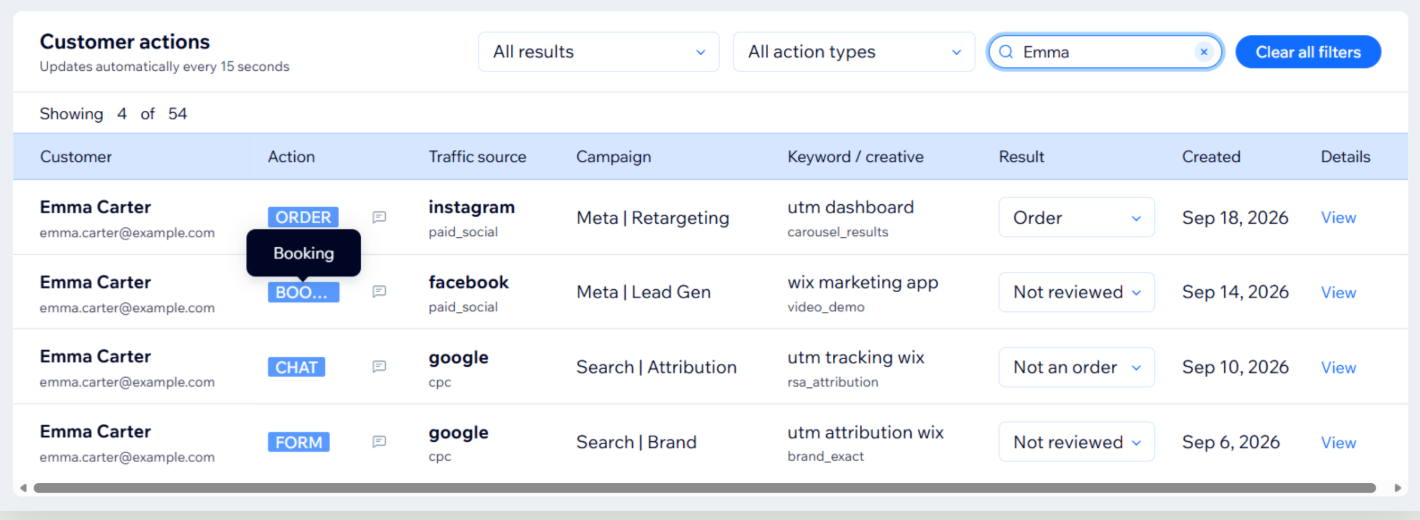
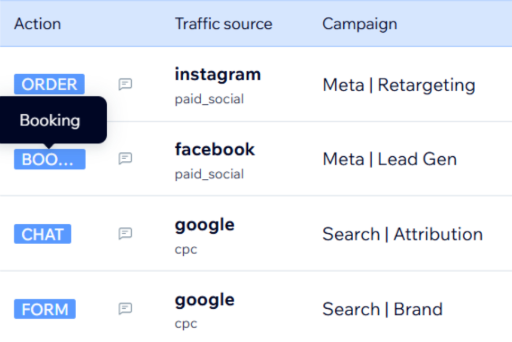
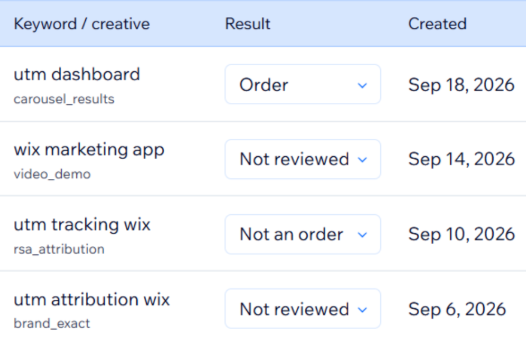
Customer Actions table, captured from version 20.1.0 with synthetic test records. Open the image at full size
- Action type: Form, Chat, Booking or Order
- Traffic source with medium beneath it
- Campaign
- Keyword / creative
- Result, set manually per action
- Created: the action date
ActionThe supported Wix action type and its associated contact context when available.
Traffic source / mediumThe available channel classification and delivery method.
CampaignThe captured campaign value when one was available.
Keyword / creativeThe literal supplied term and content values; they are not advertising-platform enrichment.
ResultA manual review state: Not reviewed, Order or Not an order.
Action dateWhen the supported customer action was recorded.
Changing Result records your assessment. It does not change the action's attribution, calculate revenue or prove that a campaign caused an order.
ATTRIBUTION DETAILS
Compare First, Last and Conversion Touch.
First Touch
The earliest available captured marketing context for the related visitor or contact path.
Last Touch
The most recent available captured marketing context before the review point.
Conversion Touch
The available context associated with this qualifying Customer Action.
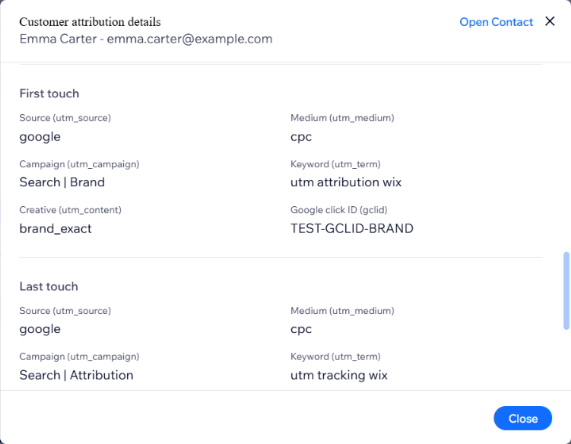
Attribution details opened from the View link, captured from version 20.1.0 with synthetic test records. Open the image at full size
- First touch values
- Google click ID, when one was captured
- Last touch values; scroll for Conversion Touch
- Open Contact opens the Wix Contact
Open attribution details to review the source, medium, campaign, keyword, creative and GCLID values that are actually present. Blank values remain blank.
WIX CONTACT + CRM NOTES
Keep action review connected to Wix CRM.
Use Open Contact when the action has an available Contact relationship. It opens the Wix contact context; it does not create a missing identity link.
Notes belong to the Wix Contact workflow. They provide review context and do not rewrite attribution or Result.
TRAFFIC SOURCES
Direct, Unknown and UTM are not interchangeable.
UTM-tagged
The action can show the literal source, medium, campaign, term and content values that survived the landing path and were available under the browser and consent conditions.
Direct
A valid visit snapshot had no campaign or external referrer. Direct is not a campaign name, does not mean Unknown and should not be assigned merely because UTM parameters are missing.
Unknown or unavailable
A particular source, channel or touch value could not be classified or matched from the available evidence. This is not the same as a missing Customer Action.
For Direct or Unknown context, check the final landing URL, duplicate or stripped parameters, consent, redirects, same-browser continuity and the correct action record. Continue with Traffic Sources: How Wix Customer Attribution Works or the troubleshooting checklist.
RELATED WORKFLOWS
Use the guide for the action or channel you are testing.
TRAFFIC SOURCES
Understand source evidence
Separate attributed, Direct, unavailable and ineligible source context.
SMART CHAT
Configure S-Chat eligibility
Smart Chat needs a qualifying submitted contact form; anonymous messages are not attributed.
UTM BUILDER
Build a tagged URL
Use the Email newsletter preset or another verified channel template.
CONTACT SUPPORT
Send a diagnostic request
Use the verified product support destination without sending secrets or customer data.
DIRECT ANSWER
Review one Customer Action from the table through its attribution and Wix Contact context.
How to use the UTM Contact Attribution Dashboard.
KNOWN LIMITS
Read the result narrowly.
The Dashboard reports available recorded context. It does not prove causation, calculate revenue, retrieve missing values from an advertising API or guarantee that every visit and action can be attributed.
NEXT ACTION
Continue with the next relevant Help task.
Use the Help navigation to keep campaign setup, testing and troubleshooting connected.
Help Center